


How do you build a programmatic SEO page template for WordPress?: A programmatic SEO page template for WordPress is the reusable page structure that lets…
Last updated: October 25, 2026
Key Takeaways
- A programmatic SEO template needs a data source, a repeatable layout, and enough unique blocks to be useful.
- Set the data model before opening the theme editor.
- One WordPress template can read custom fields and repeat the same sections across pages.
- Keep the template to 4 to 7 content blocks, not 20.
A programmatic SEO page template for WordPress is the reusable page structure that lets you publish hundreds or thousands of similar pages without hand-building each one. The job is to separate fixed layout from variable data so each page stays indexable, readable, and different enough to deserve its URL.
What a programmatic SEO template actually needs

A programmatic SEO template needs three things: a data source, a repeatable layout, and enough unique content blocks to make each page useful. In WordPress, that usually means custom fields, a custom post type or page template, and one clear URL pattern such as /location/slug/ or /service/slug/.
The mistake most people make is starting with design. A template that looks polished but has no variable structure just gives you a pretty shell. A real programmatic SEO page template is built around what changes on each page: city name, product name, pricing tier, feature set, comparison data, or service area. The fixed parts are the intro, the page hierarchy, and the call to action.
It also needs a standard for consistency. Schema markup, canonical URLs, and a stable 1:1 relationship between the source data and the rendered page help keep the system predictable. If the pages are meant to rank, the template has to support crawling as much as clicking.
This approach is best for large-scale publishing where the same intent repeats across many entities. It is not a good fit for pages that need long editorial treatment, heavy reporting, or fully custom arguments, so consult a professional if those are your goals. If every page needs a different thesis, a template will flatten it. Google’s guidance on creating helpful, people-first content is a useful reference here: https://developers.google.com/search/docs/fundamentals/creating-helpful-content.
What to prepare before you touch WordPress
You need your data model before you touch the theme editor. At minimum, define the entities you plan to publish, the variables each page will display, and the URL pattern those pages will follow.
Start with a simple inventory. For each page type, list fields such as title, H1, short summary, location name, address, service area, price range, feature list, testimonial text, FAQ answer, or comparison score. Decide which fields are required and which can be blank. If a field is optional, the template needs a fallback so the page does not break when the data is missing.
Then decide where the data lives. In WordPress, that usually means custom fields through Advanced Custom Fields, native custom fields, or a custom post type registered in code or with a plugin. If the pages are driven by a spreadsheet, CSV, Airtable, or database table, make sure the import path is stable before you build the front end. A template is only as clean as the data behind it.
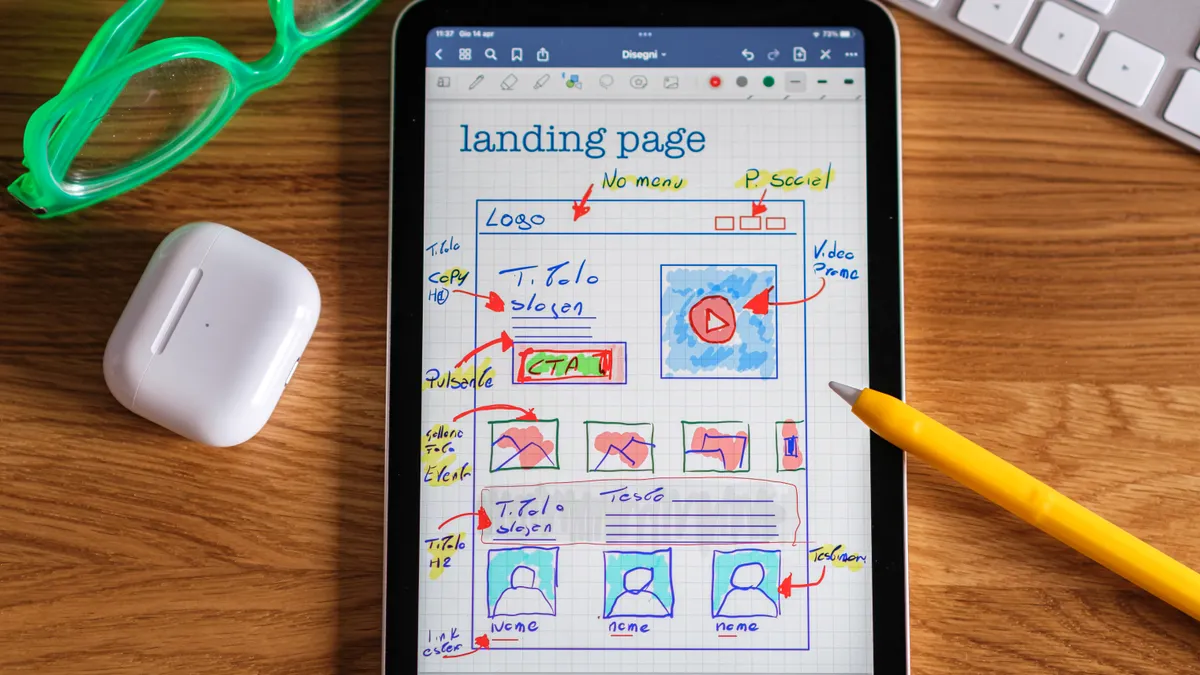
You should also sketch the page sections on paper or in a doc. A typical pSEO page has a hero, a short description, a data-backed body section, a related items block, and a FAQ. That gives you a 5-part layout before you choose a builder.
The final prep step is indexing logic. Decide which pages should be indexable, which should be noindexed, and which should never be generated. If you publish 2,000 thin pages by accident, you create a cleanup job later.
How do you build a programmatic SEO page template for WordPress?
You build it by creating one WordPress template that reads custom fields and repeats the same section structure across every page. The cleanest path is to define the data first, then wire the template to that data, then test one live page before scaling to dozens.
- Choose the page type and URL pattern. Use a custom post type, a page template, or a builder template for one entity class, such as `/cities/new-york/` or `/tools/keyword-research/`. When it works, every page follows the same slug pattern and WordPress can generate clean permalinks without manual edits.
- Create the fields that hold the variable content. Add custom fields for the pieces that change per page, such as heading text, summary copy, pricing notes, feature labels, image URLs, and schema values. When it works, the edit screen shows a field group instead of a blank text area.
- Map those fields into the template. In a theme file, block template, or page builder, connect each content block to the correct field so WordPress outputs the right value in the right place. When it works, the page title, body text, and supporting blocks all change when the data changes.
- Build the page sections in the right order. Use a hero, a short overview, a comparison or feature block, a supporting section, an internal related-items block, and a FAQ. When it works, the page reads like a complete answer instead of a stitched list of fields.
- Add schema markup where it belongs. Use Article, Product, FAQPage, LocalBusiness, or another valid schema type only when the page content actually supports it. When it works, the structured data matches the visible content and passes a manual sanity check. See Google’s structured data documentation: https://developers.google.com/search/docs/appearance/structured-data/intro-structured-data.
- Set fallbacks for missing data. If a field is empty, hide the block or substitute a neutral string so the page does not show broken labels or placeholder text. When it works, a sparse record still renders a usable page rather than a broken one.
- Generate and review one sample page before bulk publishing. Check the source, the visible layout, mobile spacing, and the final URL in a browser. When it works, the sample page looks like a finished page with no empty containers, duplicate headings, or broken image paths.
The practical test is simple: if you can change one record in the source data and see the page update correctly without redesigning the template, the system is working. If you still need to edit each page by hand, it is not programmatic yet.
Which content blocks belong in the template
The template should use 4 to 7 content blocks, not 20. Too many blocks make the page feel assembled from widgets; too few make it thin. The goal is a structure that is repetitive enough to scale and specific enough to answer the query.
A useful default stack looks like this:
- A hero block with the entity name and one-line value proposition
- A summary block with 2 to 4 sentences that explain what the page covers
- A variable data block, such as features, specs, or location details
- A proof or comparison block that shows why this page exists
- A related items block that links to adjacent pages
- A FAQ block for common follow-up questions
The blocks need different jobs. The hero introduces the page. The summary explains the match between the query and the entity. The variable data block does the heavy lifting. The related items block supports crawling and discovery. If every block tries to do everything, the page becomes noise.
Page builders can help here, especially if you need non-developers to manage layout. Elementor, Beaver Builder, and Gutenberg patterns can all work if the content is driven by fields rather than pasted manually. The risk is over-design: a 12-widget layout often creates more maintenance than value. In WordPress, simpler usually scales better.
This is also where many templates fail on indexation. If the top half of the page is generic and the only unique text is buried near the bottom, the page can look mass-produced. Put the variable information early, preferably within the first 300 words of visible content.
How to make the template scalable without making it thin
A scalable template stays useful because each page gets one strong variable angle, not because the layout is packed with sections. The difference between scale and spam is whether the data adds real distinctions from page to page.
A clean rule is to give each template a single primary variable and one or two supporting variables. For example, a local service page can center on city name, service type, and a short list of area-specific details. A product comparison page can center on product name, pricing tier, and feature set. That keeps the page focused.
This is also where internal linking matters, but only in the sense of structure. Each page should point to closely related sibling pages, category pages, or a broader hub. That helps users move across the set and helps crawlers understand the hierarchy. Keep the links relevant and limited; a 20-link footer block can dilute the page.
If you are building pages to support a monetized site, this template work usually sits under a larger content system. The template should feed the same business goal as the rest of the site, including the hub on monetization for automated blogs, without forcing every page into the same mold.
A useful test is the replacement test: if you swapped one entity for another, would the page still make sense? If yes, the template is probably too generic. If no, and the page still reads naturally, the template has enough structure.
Common WordPress mistakes that break programmatic pages
The biggest mistake is treating the template like a normal page and the data like an afterthought. That costs time because every update becomes a manual edit, and the layout never really scales. The fix is to define the fields first and build the design around them.
Another mistake is using one giant block of text with a few variables dropped in. That can produce pages that look automated and may leave search engines with little structure to parse. Break the content into named sections with clear headings and different jobs.
A third mistake is ignoring empty fields. If a page has no data for a section and the template still renders the label, the page looks broken. The cost is trust. The fix is conditional logic: hide the block, shorten the page, or supply a genuine fallback only when it still helps the user.
A fourth mistake is adding schema markup that does not match the page. If the visible content is a service page and the schema says FAQPage with no actual FAQ content, the markup is misleading. Use schema only when the page supports it in plain text.
A fifth mistake is publishing too fast. Ten pages are easy to review. Five hundred pages are not. Before you scale, inspect one page on desktop and mobile, then check title tags, headings, canonical tags, and indexability. A 10-minute review can save hours of cleanup.
What to check before you publish at scale
You should check four things before bulk publishing: content quality, URL logic, crawlability, and maintenance. Those are the parts that decide whether the template survives beyond the first batch.
First, read one page as a human. The copy should answer the query in the first screenful and not force the reader to hunt for the point. Second, inspect the URL pattern. It should be readable, stable, and free of unnecessary parameters. Third, confirm that the pages can be crawled and indexed the way you intend. That means no accidental noindex tags, broken canonicals, or blocked resources. Fourth, think about updates. If the source data changes, the template should update the page without requiring a rebuild.
A good workflow is to launch with 5 to 10 pages, review them, then expand in batches. That pace is slow enough to catch structural problems and fast enough to show whether the template behaves. If the first batch already needs manual repair, stop and fix the system.
The right programmatic SEO page template for WordPress is not the most elaborate one. It is the one that keeps working when the dataset grows from 10 rows to 1,000 and still looks like it was built for the query, not for automation.
What makes a page template scalable?
A scalable template uses the same layout for many records while changing only the fields that matter. It keeps the page structure fixed, limits optional sections, and pulls data from a stable source such as custom fields or a database table. That way, a new page can be generated in minutes instead of rebuilt by hand.
How do you keep template pages from feeling thin?
You keep them from feeling thin by giving each page one clear purpose and enough unique data to support it. Use a strong intro, one substantial variable section, and a few supporting blocks that add context, not filler. If a field is missing, hide the section instead of forcing text that adds no value.
How do you structure variable content in WordPress?
You structure variable content by separating the content fields from the layout. Store the changing parts in custom fields, custom post meta, or imported database records, then render those fields inside a template with conditional logic and fallback handling. The result is one page design that can display different values without manual rewriting.
Drafted with AI; not yet reviewed by a person.